
Embedding Presentations
Presentations belong on the web. With stellar-embed.js, you can embed live slides in any HTML page — a blog post, a docs site, a landing page. The slides render from markdown at load time, so they stay up to date when the source changes.
See it working
Section titled “See it working”This deck is embedded in the page you’re reading, rendered from markdown at load time:
The code that produced the deck above
Section titled “The code that produced the deck above”Here’s the exact HTML that renders that deck. One file, no install, no bundler. All public files are prefixed stellar- to avoid collisions with your site’s own themes.css or layout.css.
<!DOCTYPE html><html><head> <link rel="stylesheet" href="https://stellardeck.dev/engine/stellar-themes.css"> <link rel="stylesheet" href="https://stellardeck.dev/engine/stellar-layout.css"> <link rel="stylesheet" href="https://stellardeck.dev/engine/stellar-slides.css"></head><body> <div id="my-deck" style="width:100%; aspect-ratio:16/9;"></div>
<script src="https://stellardeck.dev/engine/stellar-autoflow.js"></script> <script src="https://stellardeck.dev/engine/stellar-parser.js"></script> <script src="https://stellardeck.dev/engine/stellar-slides.js"></script> <script src="https://stellardeck.dev/engine/stellar-embed.js"></script>
<script> StellarEmbed.renderDeck( document.getElementById('my-deck'), `#[fit] Embedded slides
From markdownrendered live on the page
---
# How it works
Pure HTML and JavaScript
No iframe, no bundler
---
# What you get
- Navigation (arrow keys)- All StellarDeck features- Autoflow, themes, color schemes- Same engine the desktop app uses
---
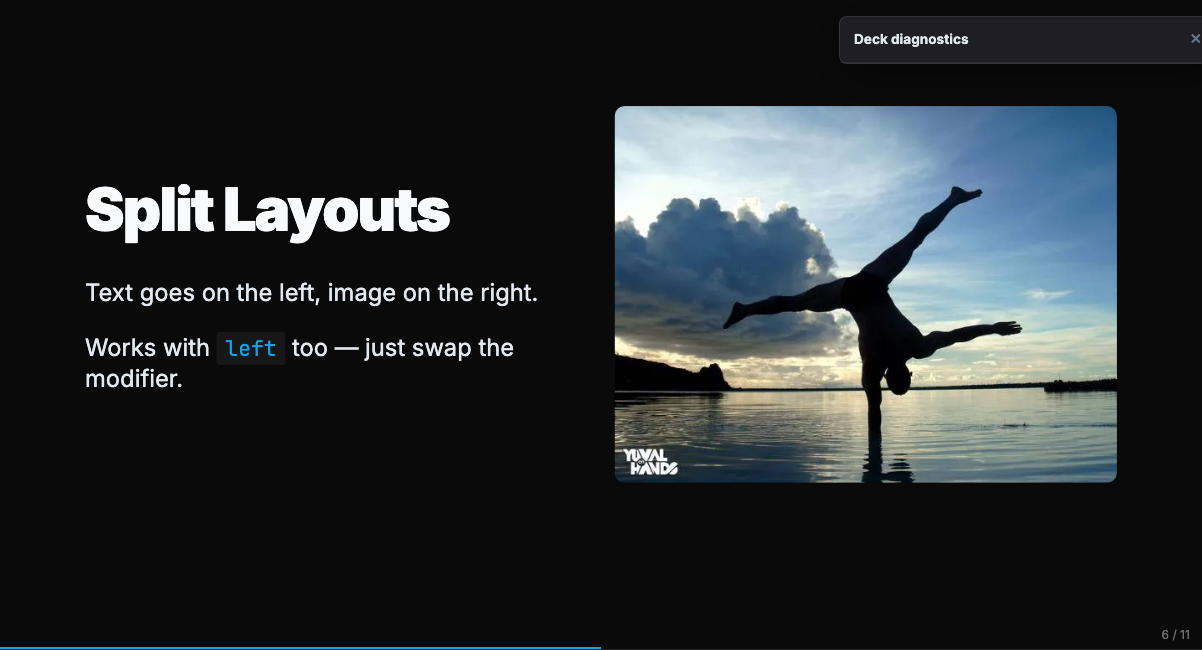
# Split layouts
Add \`\` before a heading and autoflow builds the split.
---
#[fit] That's it
Two files, one script tag, done`, { theme: 'nordic', autoflow: true } ); </script></body></html>Save as deck.html, open in a browser. No server needed.
Loading markdown from a file
Section titled “Loading markdown from a file”For real decks you usually want the markdown in its own .md file, not inline in HTML. Fetch it and pass the text to renderDeck():
<div id="my-deck" style="width:100%; aspect-ratio:16/9;"></div>
<script>  fetch('slides.md')    .then(r => r.text())    .then(md => {      StellarEmbed.renderDeck(        document.getElementById('my-deck'),        md,        { theme: 'nordic', autoflow: true }      );    });</script>
Now your deck lives in slides.md alongside the HTML, version-controlled separately and diffable. Edit the .md, refresh the page, the deck updates. This is the pattern used across all StellarDeck examples.
If your markdown references images with relative paths (like ), make sure those paths resolve relative to the HTML page, not the .md file — the engine doesn’t rewrite paths.
Self-hosted
Section titled “Self-hosted”If you want to vendor the files (stable versions, no CDN dependency), copy them from peas/stellardeck:
your-site/├── engine/│ ├── stellar-themes.css│ ├── stellar-layout.css│ ├── stellar-slides.css│ ├── stellar-slides.js│ ├── stellar-autoflow.js│ ├── stellar-parser.js│ └── stellar-embed.js└── deck.htmlThen swap https://stellardeck.dev/engine/... for engine/... in the HTML above.
Three modes
Section titled “Three modes”renderSlide() — Single slide
Section titled “renderSlide() — Single slide”Renders one slide with no navigation controls. Good for inline examples and previews.
StellarEmbed.renderSlide(container, markdown, { theme: 'nordic', scheme: '1', autoflow: false,});renderDeck() — Navigable deck
Section titled “renderDeck() — Navigable deck”Full deck with arrow controls, slide counter, and keyboard navigation.
StellarEmbed.renderDeck(container, markdown, { theme: 'nordic', scheme: '1', autoflow: true, showControls: true,});playground() — Editor + preview
Section titled “playground() — Editor + preview”Side-by-side markdown editor and live preview. Edits update the slide in real time.
StellarEmbed.playground(container, markdown, { mode: 'single', // 'single' or 'deck' theme: 'nordic', scheme: '1', autoflow: false, label: 'demo.md',});The playground returns a handle with getMarkdown() and setAutoflow(enabled) for programmatic control.
Options reference
Section titled “Options reference”All three modes accept these options:
| Option | Type | Default | Description |
|---|---|---|---|
theme | string | 'nordic' | Theme name (see Themes) |
scheme | string | '1' | Color scheme number |
autoflow | boolean | false | Enable autoflow layout inference |
width | number | 1280 | Canvas width in pixels |
height | number | 720 | Canvas height in pixels |
showControls | boolean | true | Show navigation arrows (deck mode only) |
onDiagnostics | function | — | Callback for structured warnings (overflow, missing images, etc.) |
Required dependencies
Section titled “Required dependencies”stellar-embed.js expects these globals to exist before it runs:
| Script | Global | Purpose |
|---|---|---|
stellar-autoflow.js | window.applyAutoflow | Layout inference pipeline |
stellar-parser.js | window.parseDecksetMarkdown | Markdown-to-HTML parser |
stellar-slides.js | window.StellarSlides | Slide engine |
Plus three CSS files:
stellar-themes.css— font imports, theme classes, color schemesstellar-layout.css— slide layouts, position grid, autoscalestellar-slides.css— engine visibility, backgrounds, fragments
The stellar- prefix keeps these from colliding with your own site’s CSS.
Embedding in a blog
Section titled “Embedding in a blog”Astro / MDX
Section titled “Astro / MDX”Pass markdown through a JSON script element — never define:vars, since backticks and special characters break its escaping:
---const { markdown } = Astro.props;---<div id="deck-container" style="width:100%;aspect-ratio:16/9;"></div><script type="application/json" id="deck-data" set:html={JSON.stringify({ markdown })} /><script is:inline> const data = JSON.parse(document.getElementById('deck-data').textContent); StellarEmbed.renderDeck( document.getElementById('deck-container'), data.markdown, { theme: 'nordic', autoflow: true } );</script>Load the engine scripts in <head> of your site layout (BaseLayout.astro or similar).
Next.js
Section titled “Next.js”Use a client component with useEffect:
'use client';import { useEffect, useRef } from 'react';
export function SlideDeck({ markdown }) {  const ref = useRef(null);  useEffect(() => {    if (ref.current && window.StellarEmbed) {      StellarEmbed.renderDeck(ref.current, markdown, {        theme: 'nordic',        autoflow: true,      });    }  }, [markdown]);  return <div ref={ref} style={{ width: '100%', aspectRatio: '16/9' }} />;}
Load the StellarDeck scripts in <head> via next/script with strategy="beforeInteractive".
Plain HTML
Section titled “Plain HTML”The quick-start example at the top of this page works as-is. Drop it in a file, open in a browser.
Live update
Section titled “Live update”Both renderDeck() and renderSlide() return an object with an update(markdown) method. Call it to re-render without recreating the DOM:
const deck = StellarEmbed.renderDeck(container, initialMarkdown);
// Later, when markdown changes:deck.update(newMarkdown);
The playground uses this internally for its live editor.
Navigation controls
Section titled “Navigation controls”When showControls: true (the default for renderDeck), the embed:
- Adds two circular arrow buttons (
‹/›) on the left and right of the container. They fade in on hover/focus. - Makes the container focusable (
tabindex="0"). Click the embed to focus it, then use keys:←/→,PageUp/PageDown,Space,Home,End. - Keyboard events are scoped to the focused container — they don’t steal keys from the host page’s scroll or navigation.
Arrow styles are inline (no external CSS dependency). To change the color, size, or position, edit the NAV_BTN_STYLE constant near the top of embed/stellar-embed.js. Hover/focus visibility is in injectNavStyles() in the same file.
If you pass showControls: false (or use renderSlide()), no arrows and no keyboard listener are added — the embed is a static slide the host page fully controls.
Diagnostics callback
Section titled “Diagnostics callback”For agent workflows or CI checks, pass onDiagnostics to receive structured warnings (content overflow, missing images, theme mismatches) as the deck renders:
StellarEmbed.renderDeck(container, markdown, { onDiagnostics: (warnings) => { warnings.forEach(w => { console.log(`[${w.type}] slide ${w.slide}: ${w.message}`); }); },});Requires diagnostics.js loaded alongside the other engine files. See the CLI guide for the full warning schema.